At the top of your Timesheet tab you’ll find two tools to help you stay organized throughout your placement, plus an AI-generated activity summary on your My Dashboard to help you reflect on your progress.
Todos
Click the Todos button in the header to create reminders and lightweight tasks.
There are two ways to use Todos:
- Personal reminders — create a task for yourself (e.g., “Upload insurance renewal by Friday”, “Submit weekly log before 5pm”)
- Remind others — create a task for a supervisor or peer about an upcoming deadline (e.g., “Supervisor needs to sign off on last week’s report”)
The Todos modal has four tabs: Create, Assigned to Me, Assigned by Me, and History. The header button shows a badge with the number of open todos assigned to you.
Todos are lightweight and don’t require any approval — use them freely to track anything that isn’t a formal assignment. They’re especially useful when you’re juggling multiple cohorts or deadlines.
My Notes (journaling)
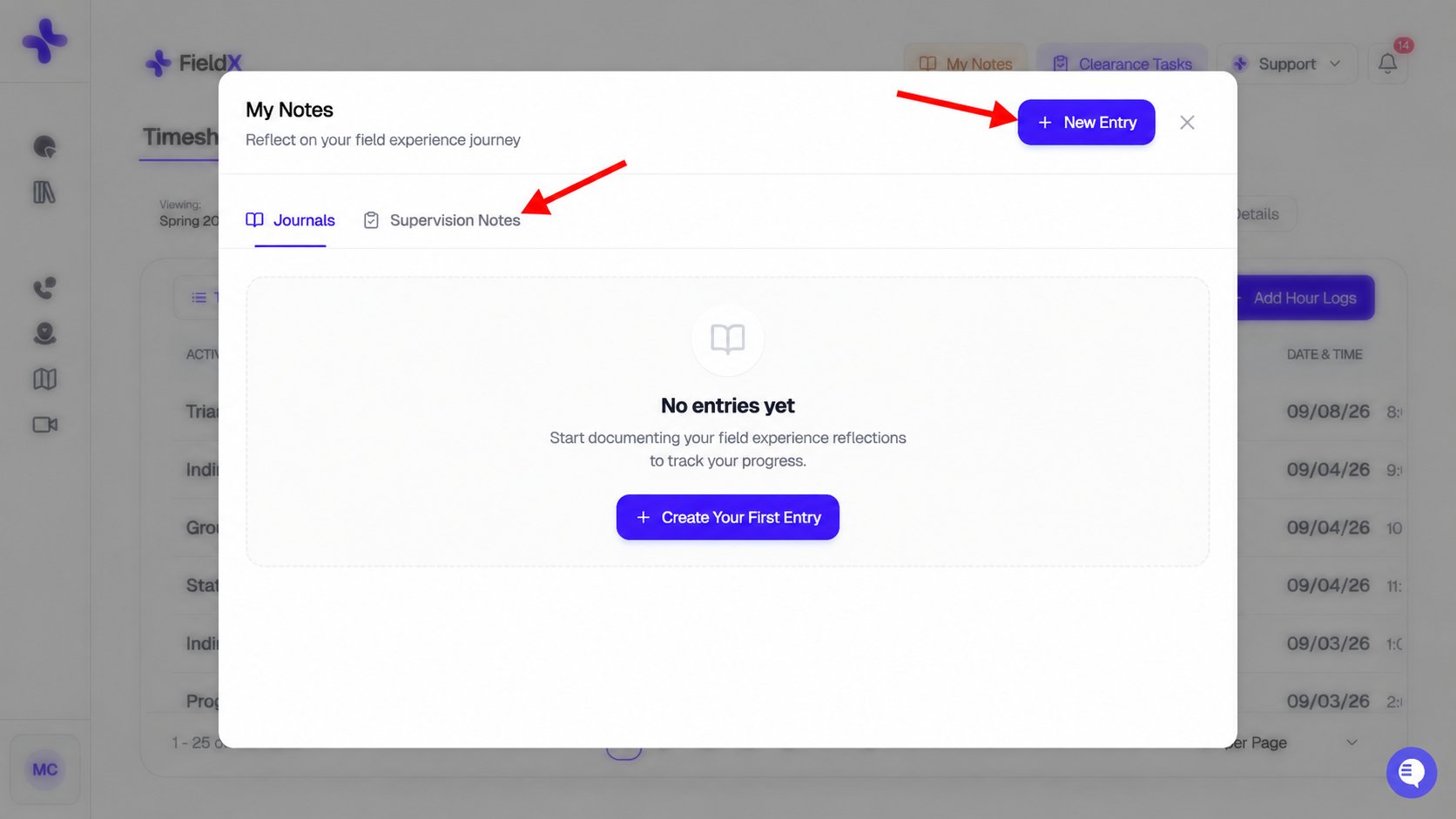
Click the My Notes button (the orange button in the header) to access journaling.
The Journal modal has two sub-tabs:
- Journals — your personal entries
- Supervision Notes — notes tied to specific supervision sessions
You can create three types of journal entries:
Use Supervision Notes for content you want tagged to a particular meeting — date, supervisor, and the notes themselves are stored together so you can revisit them later.
Clearance Tasks shortcut
The Clearance Tasks button in the header gives you one-click access to your clearance status — useful even after approval if you need to upload a renewed insurance form or update a supervisor.
AI activity summary
Your My Dashboard tab has an AI-generated activity summary that reflects on your recent hours, supervision patterns, and learning trajectory. See My Dashboard for the full breakdown.
The summary auto-generates once you have hours on record. Click Refresh to regenerate it any time. It’s a useful prompt for end-of-term reflections, supervision check-ins, or your own self-assessment.
You’ve covered the full student workflow. If you’re stuck on anything, contact your program coordinator or email
hello@simcare.ai.