

Opening Ask AI
Click Ask AI in your FieldX navigation. Choose a suggested prompt, type in the message box, or click What can I ask? to open the capability guide.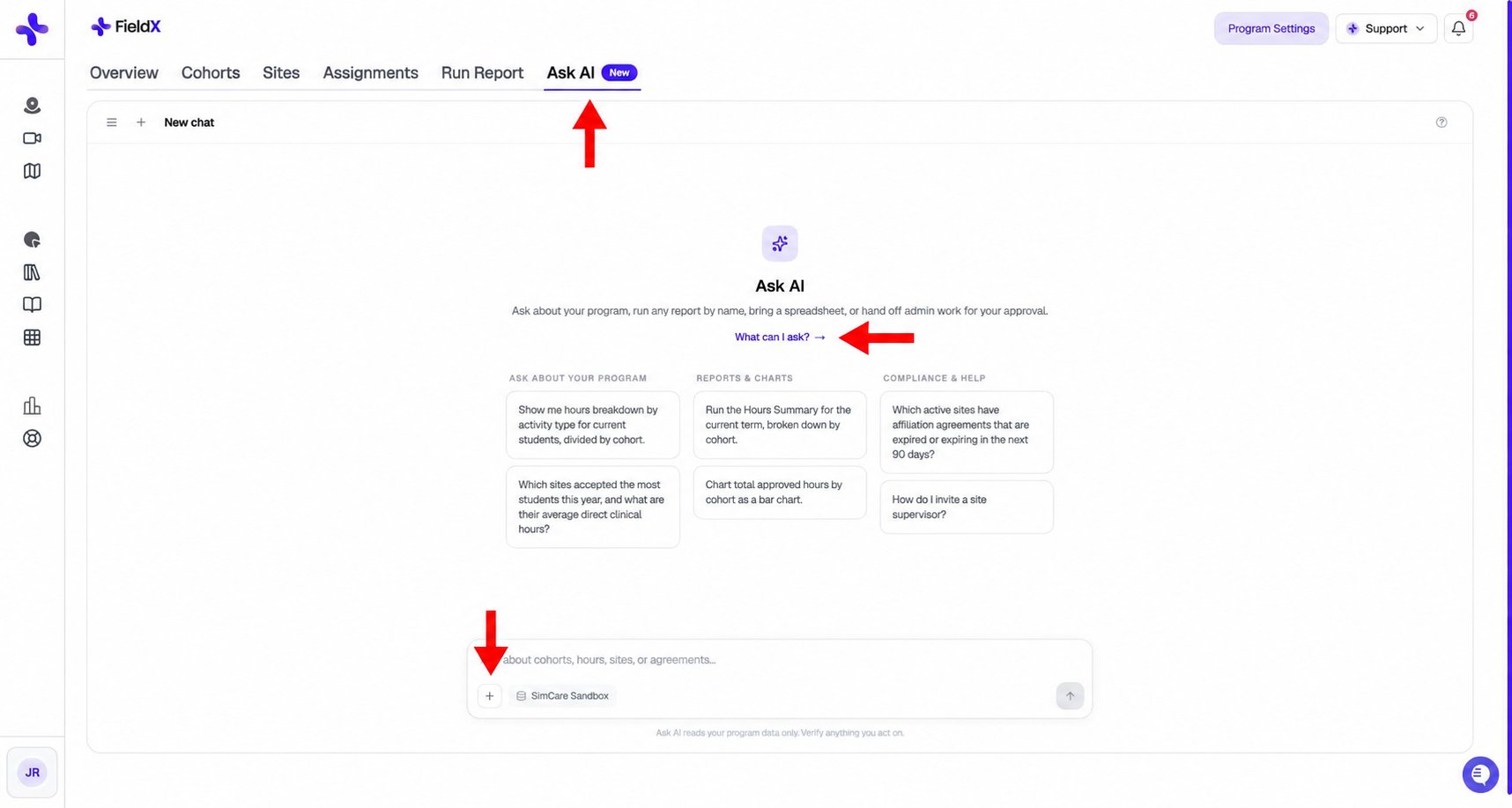
Use the Ask AI tab, capability guide, and + menu to start a question or report.
Ask about your program
Include the relevant term, cohort, student, site, or date range. For example:- “Which students are below half of their required direct hours for this term?”
- “Which students have assigned forms that are still pending, and what are the due dates?”
- “List every active supervisor with their credentials and how many students they supervise.”
- “Which students are stuck in clearance, and at which step?”
- “Which active sites have affiliation agreements expiring in the next 90 days?”
Run a built-in report
Ask for a report by its current name, such as Hours Summary, Hours Log, Supervision Summary, Weekly Supervision Check, Requirement Check, or Assignment Completion Status. For example: “Run the Hours Summary for the current term, broken down by cohort, as an Excel spreadsheet.” Ask AI requests any missing report settings before generating the file. See Evaluations & Reports for the report catalog.Exporting results
To create a custom report, open the + menu and choose Generate Report. Choose Internal or CACREP format and describe what to include. Ask AI uses the conversation’s data to build the document. If you want reports saved to Google Docs, use the Google Drive connection option on the report card.
Attach a spreadsheet
Drag up to five Excel or CSV files onto the chat, or use the + menu. Then ask a question about the files, such as:- “Summarize the attached file and flag anything unusual.”
- “Compare this spreadsheet with our roster and show who is missing from FieldX.”
- “Total hours per student in this file and compare them with the hours logged this term.”
Review proposed admin changes
Ask AI can draft member invitations, cohort creation and enrollment changes, placement-level changes, and form assignments.- Describe the change, or attach a roster.
- Review the draft card. Check each person, email address, role, cohort, and date. Fix or skip rows as needed.
- Click Approve only when the draft matches the change you want.