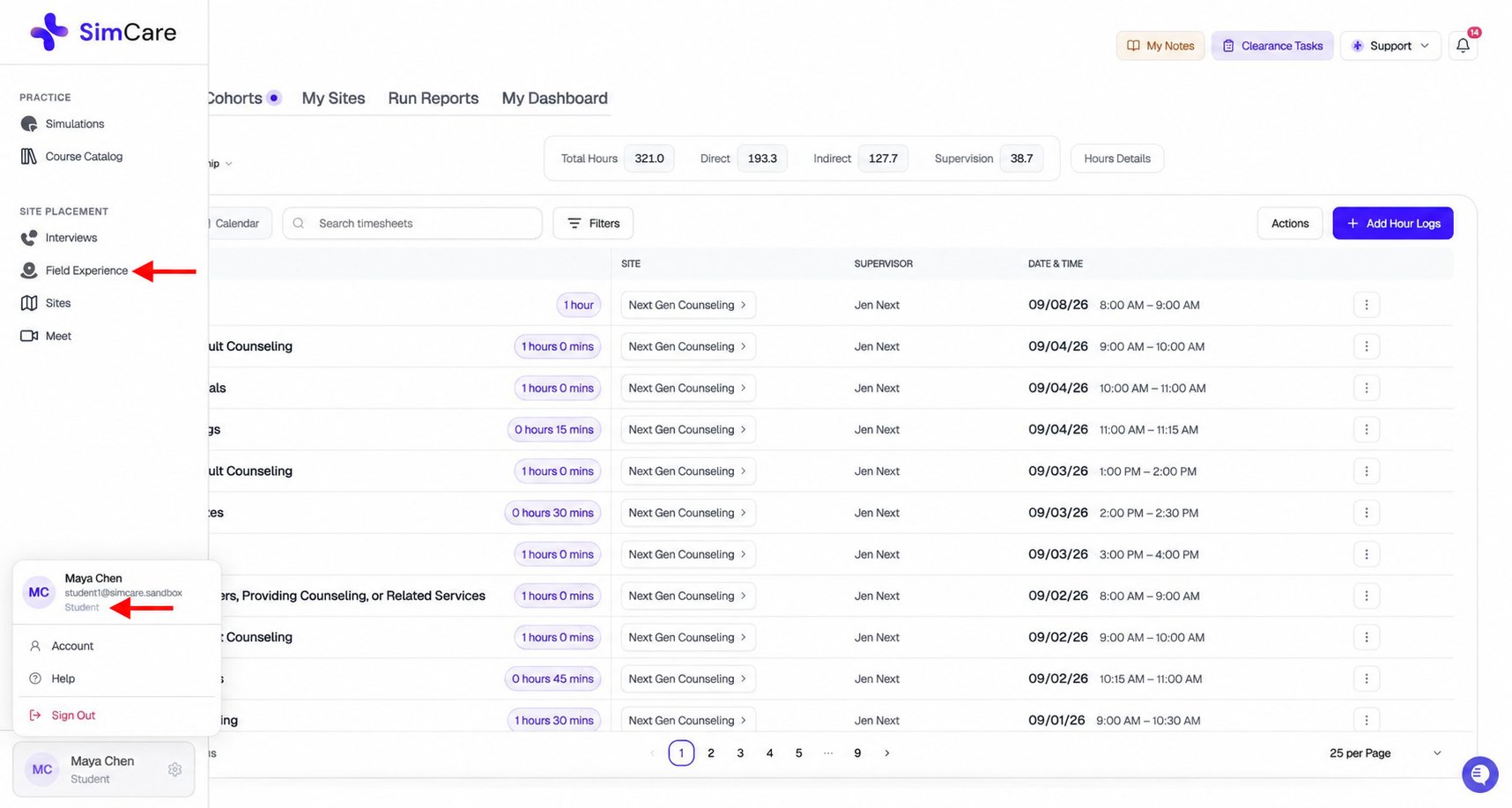
The four roles
Student
Students complete their practicum or internship in FieldX. Before anything else, they complete a pre-application (clearance) — a multi-step intake covering track selection, site selection, supervisor addition, and document uploads. A Program Coordinator reviews and approves it. Until approved, hour logging is blocked. Once cleared, students have five tabs:Site Supervisor
Site supervisors are field practitioners who oversee students at placement sites. They do not log hours themselves — their work is reviewing and signing student timesheets and forms.
Supervisors receive SimCare emails when action is needed. The emails contain direct links — no login required to sign.
Faculty Supervisor
Faculty supervisors are academic staff who monitor student progress across cohorts. They see only students in their assigned cohorts.Program Coordinator (Admin)
Program Coordinators have the broadest view and manage the entire program.Core concepts
Pre-application (Clearance): The mandatory intake wizard students complete before logging hours. Includes track selection, site selection, supervisor addition, document uploads, and optional agreements. Approved by the Program Coordinator. Students can check status at My Dashboard → Profile Details → Clearance Tasks. Placement: A student’s assignment to a specific site for a term. A student can have multiple placements across different terms. Cohort / Track: A program stream grouping students (e.g. by year, specialization, or term). Cohorts contain assigned forms, tasks, and a learning contract. Students enroll via an enrollment code. Hour types: Three categories tracked separately, each with its own minimum requirement:
Reports vs Forms: Reports are built from timesheet data — they summarize hours over a period and go through a multi-party e-signature workflow. Forms are dynamic web forms for evaluations, reflections, and document uploads — also with optional signatures.
E-signature workflow: Reports and forms that require signatures use DocuSeal-powered e-signatures. Each required signer (student, site supervisor, faculty) receives an email with a direct link. The item is complete once all parties sign.
Term: A date-windowed placement period (e.g. Fall 2025, Spring 2026) that scopes hour requirements and reporting. Students can view hours across multiple terms from My Dashboard → Activity.
Common cross-role scenarios
“I got an email asking me to sign something.”Click the button in the email — it takes you directly to the item. No dashboard navigation needed. “Where do I find my pending tasks?”
Students: Cohorts tab → Upcoming tasks panel. Supervisors: Overview → N Tasks button next to each student. Faculty: Overview student table or Cohorts tab. Coordinators: Cohorts tab or Overview. “What’s my role?”
Open Field Experience and see what you land on: your own timesheet = Student; a list of students at your site = Site Supervisor; a student overview table with cohort management = Faculty or Coordinator. “FieldX sent me to a ‘get started’ page again.”
Expected. The system detected a new pre-application is needed — either the existing one is in progress, or a new term requires a new one. Click Continue paperwork to resume, or contact your Program Coordinator.