

Who is affected
The setting applies only to people who are students in your program. Program admins can’t see the practice sessions of teachers or other admins, even when the setting is on.
Turn on all student activity
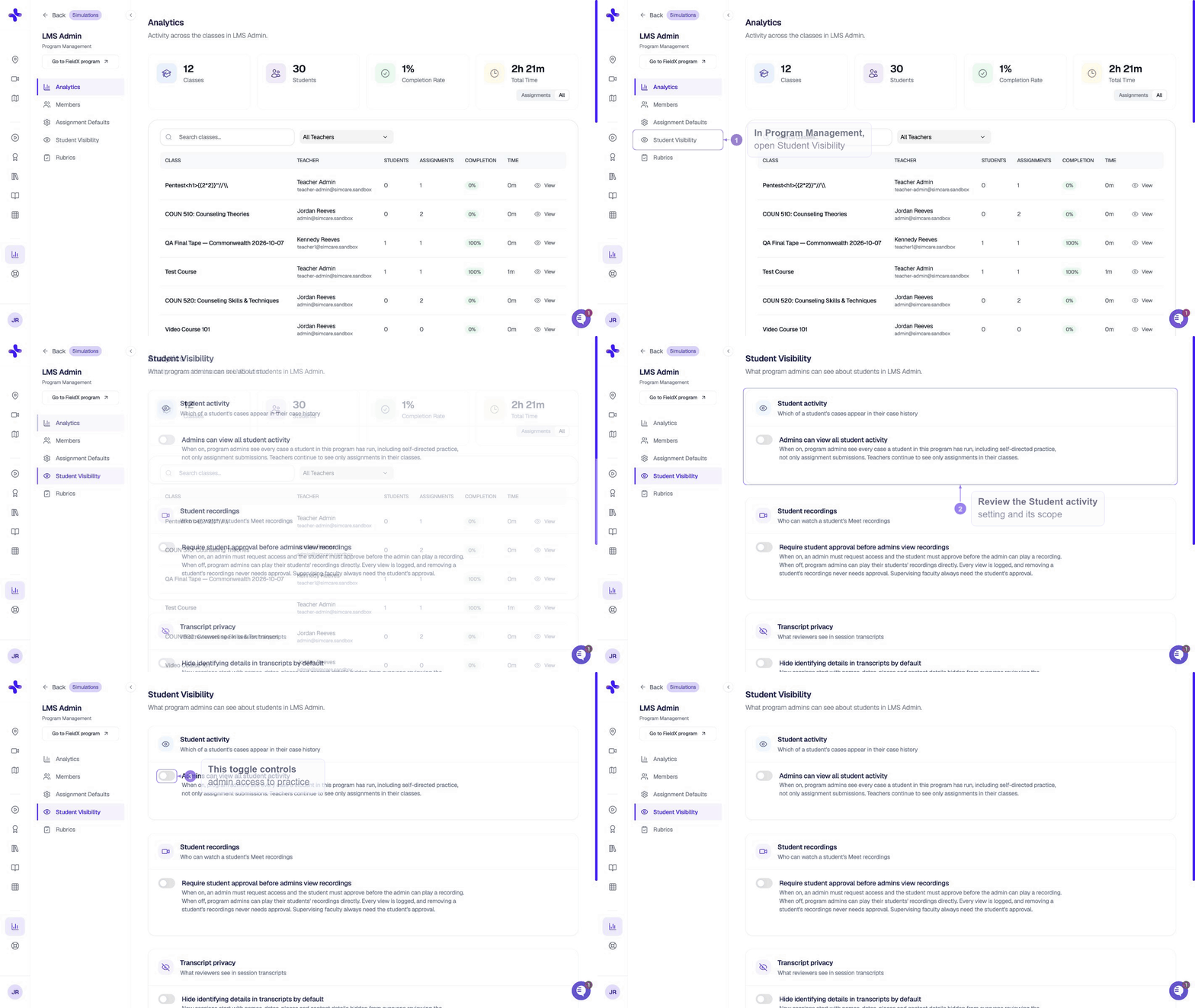
Only program admins can change this setting. Other program members can open the tab and view the current value, but the toggle is disabled for them.
1
Open Program Management
Go to Program Management and select a single program in the header.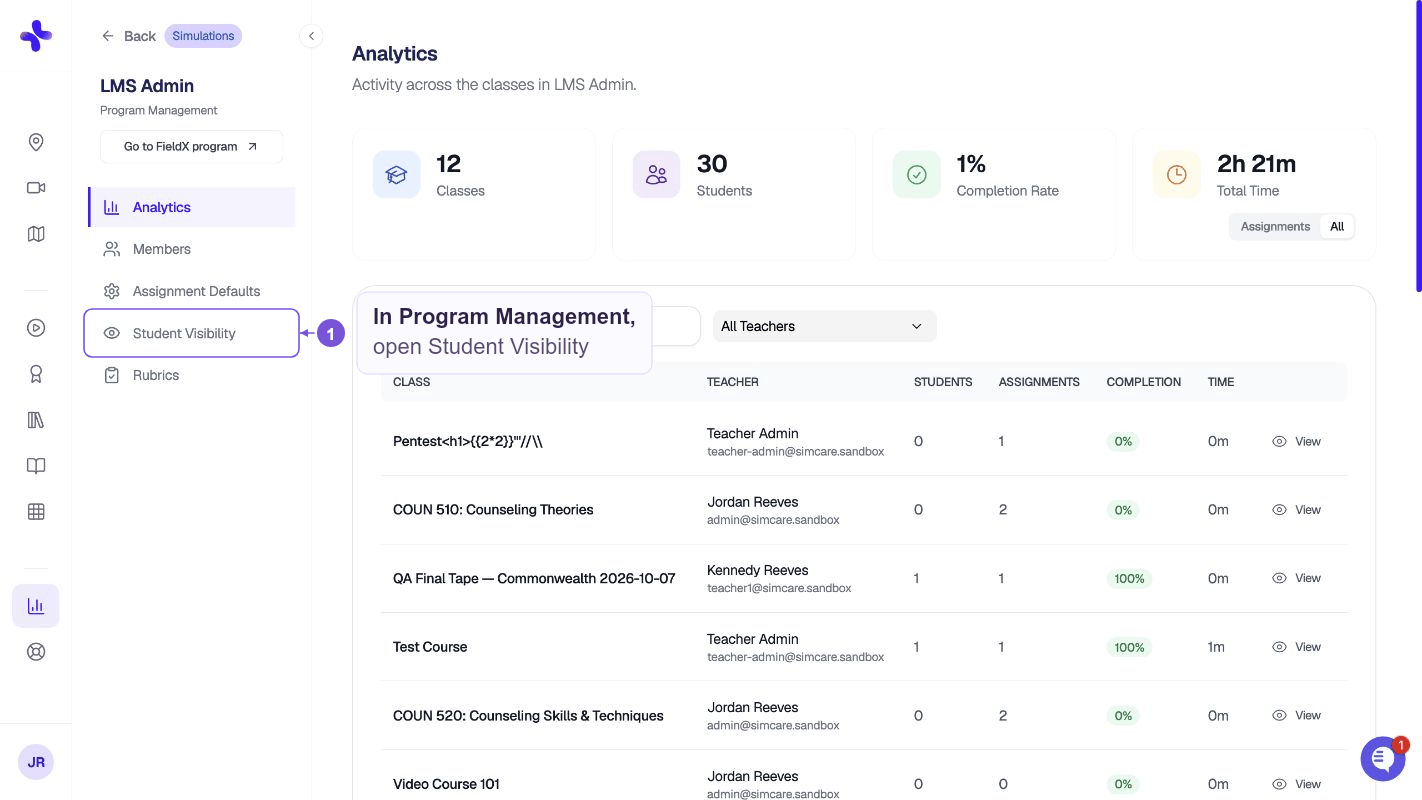
2
Open the Student Visibility tab
Select the Student Visibility tab.
3
Turn on the toggle
Turn on Admins can view all student activity. The change saves right away, and Saved. appears below the toggle.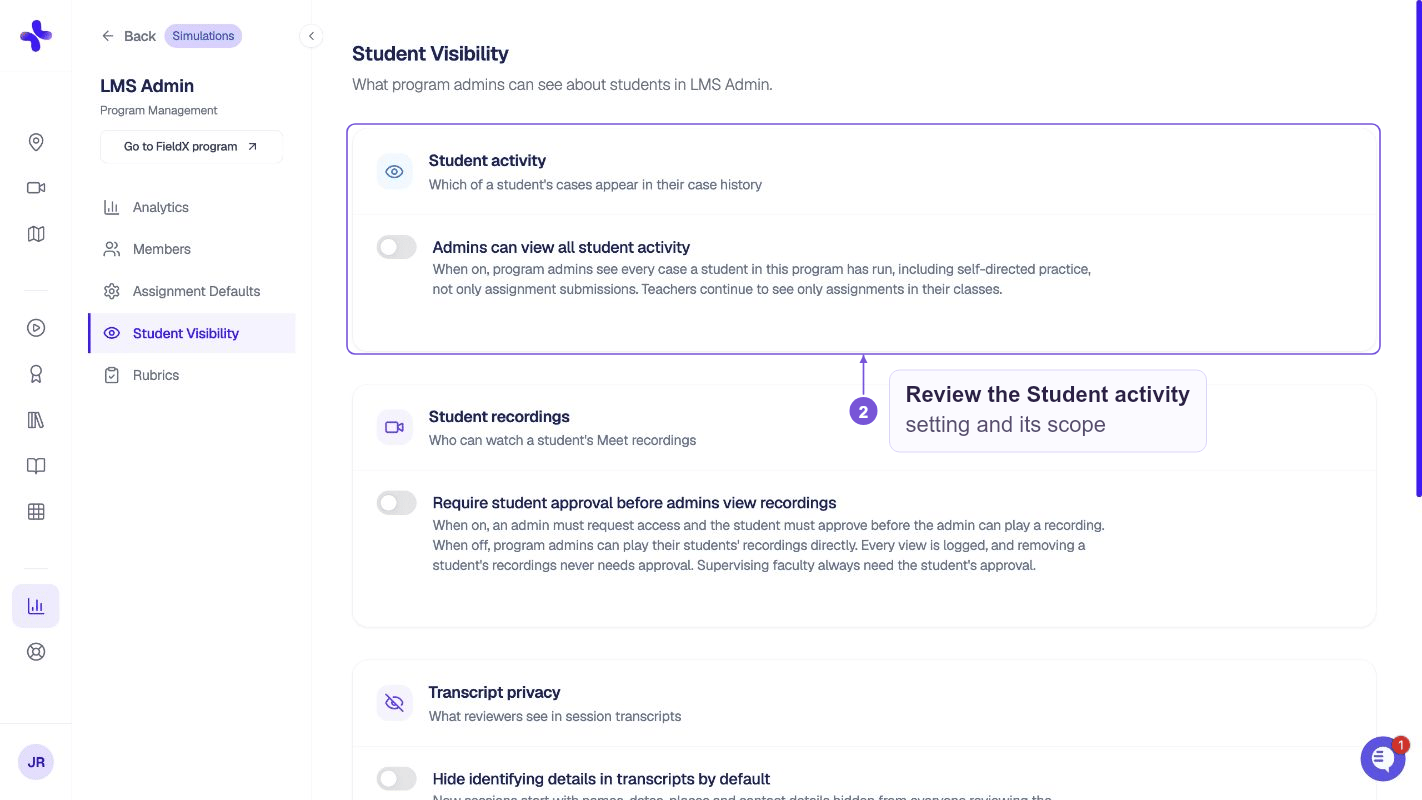
What admins see
When the setting is on, a student’s Case History page shows two views:- All activity: every case the student has run that already has feedback. This includes self-directed practice and assignment cases from classes in your program. Select Load More to see older cases.
- Assignments: the student’s assignment submissions, the same list admins saw before.
If a student belongs to more than one program, admins only see assignment cases from classes in their own program. Assignment cases from the student’s other programs stay hidden. Archived programs don’t grant access.