

Layout
My Courses has three sections: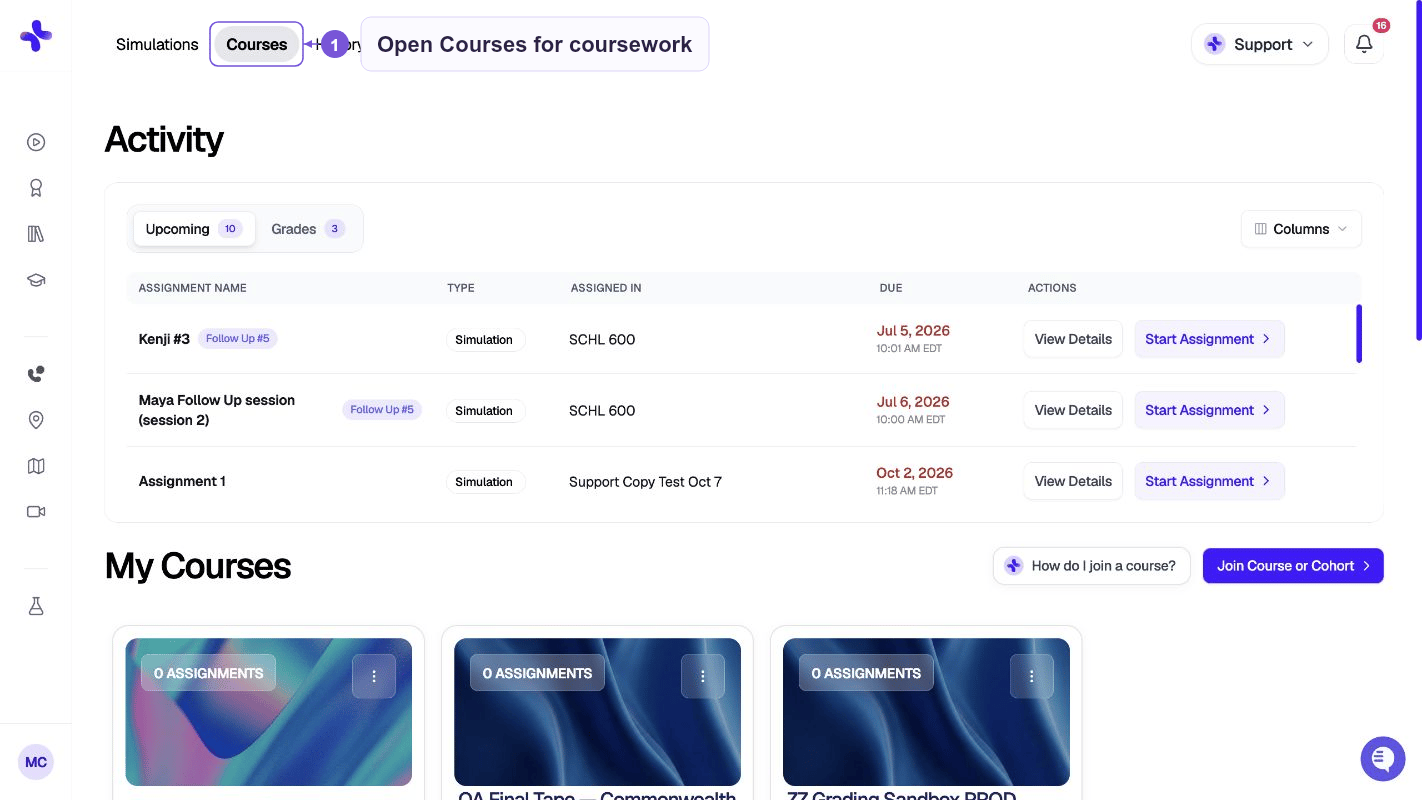
Assignment status badges
Each assignment card shows a status badge:
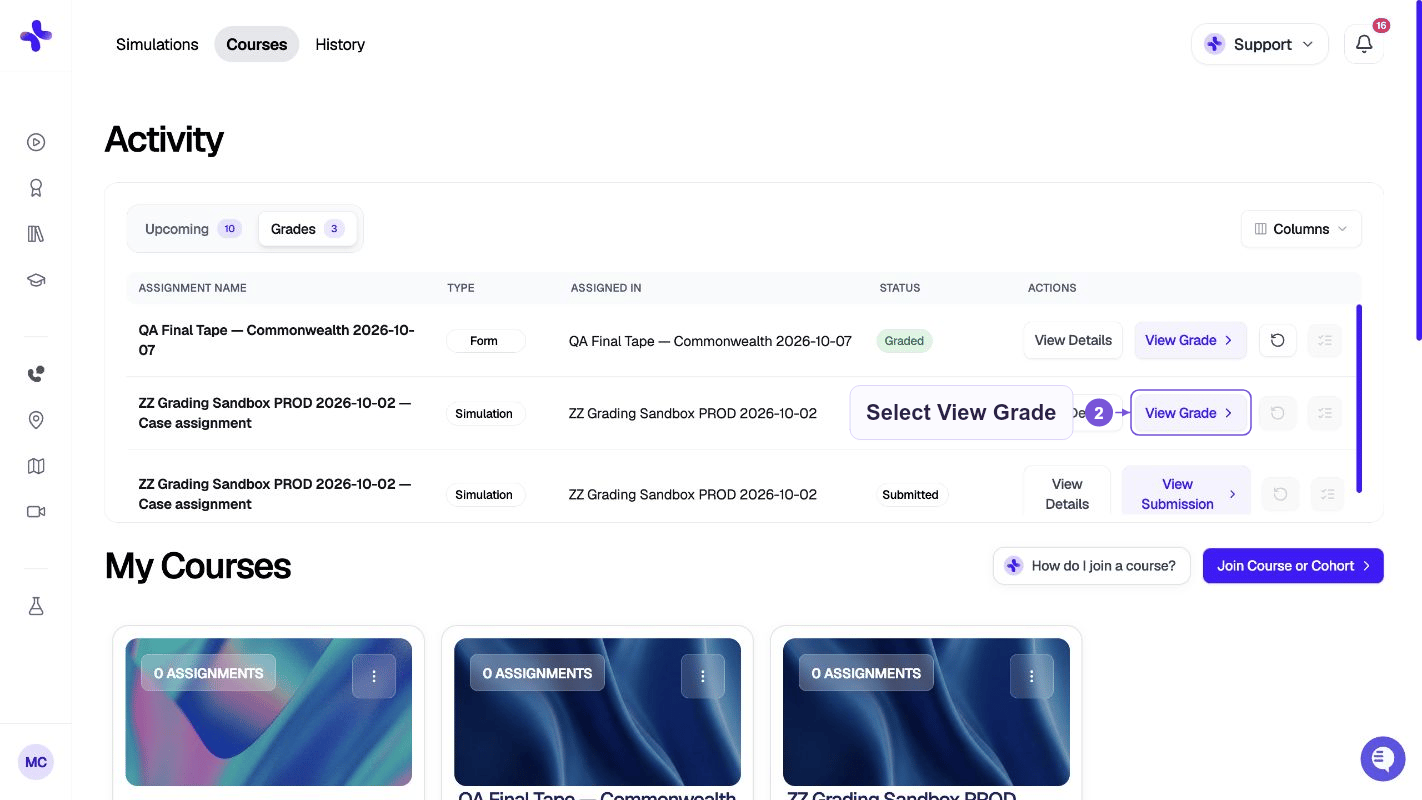
Check your grades any time under the Grades tab in Activity.
Starting an assignment
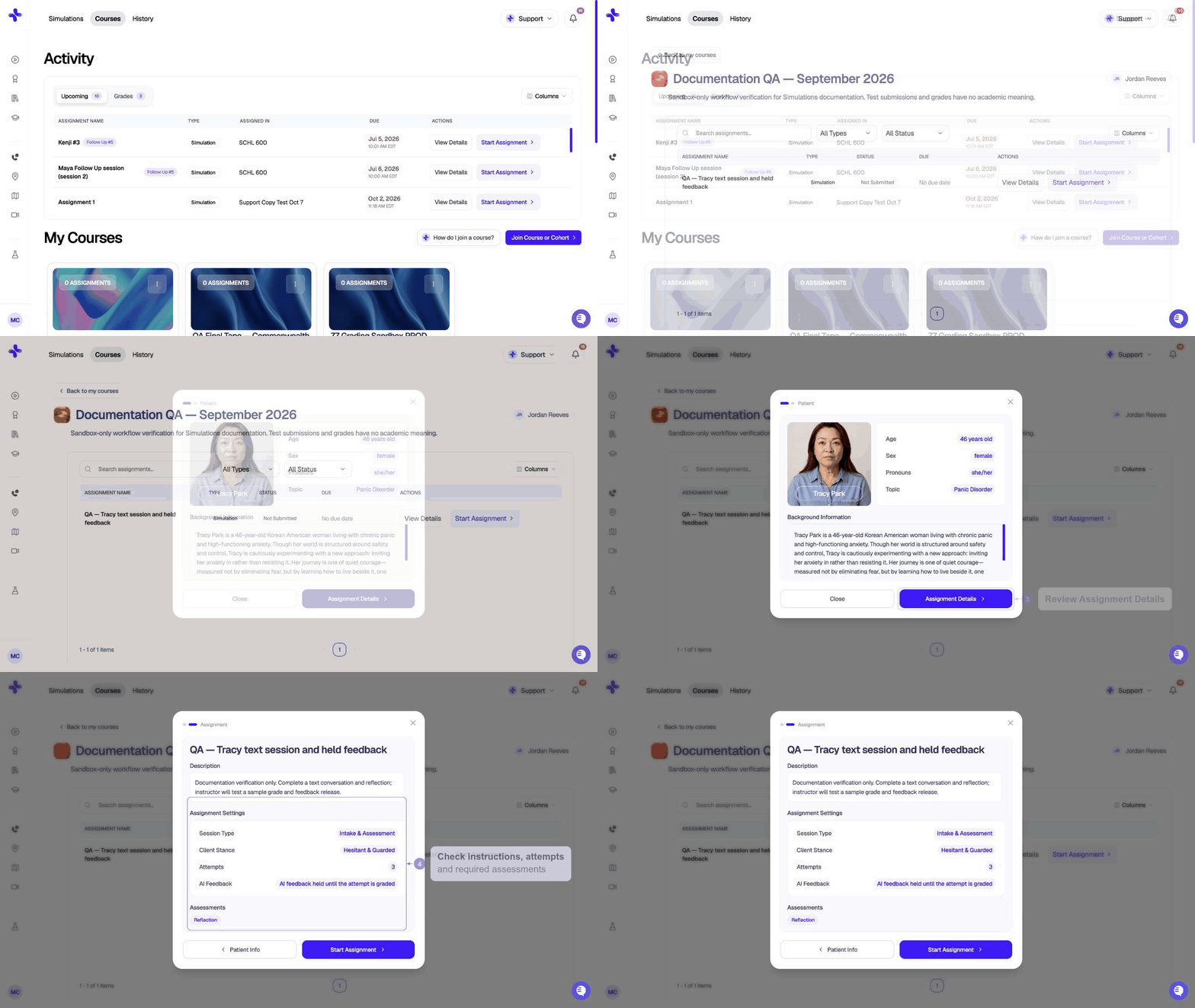
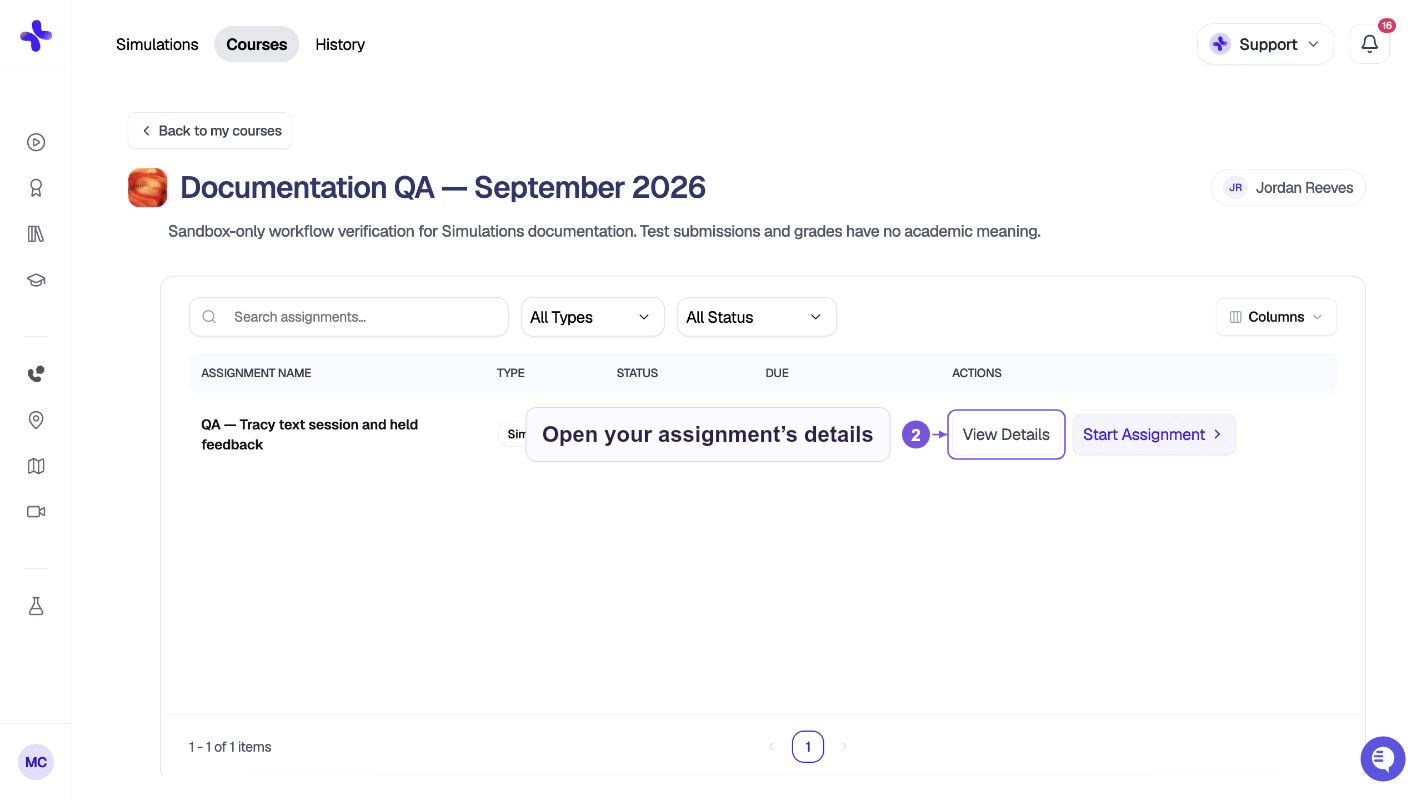
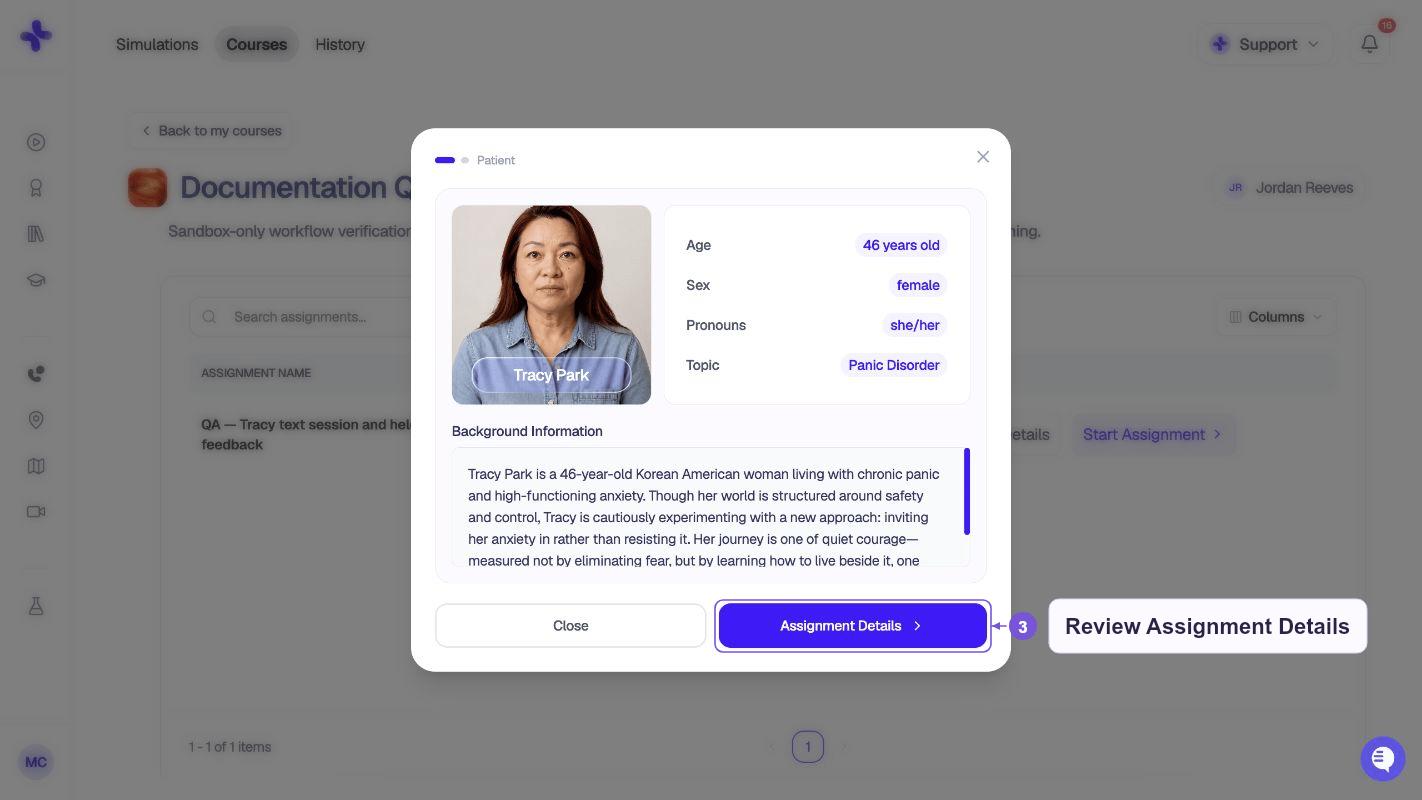
- Find the assignment in Activity or inside a class in My Courses
- Click Start Assignment for the case assignment.
- Review Patient info, Assignment Details, and the Rubric if one is configured, then click Continue to Case Overview.
- Review Simulation Overview and click Start Conversation. Choose an avatar mode if prompted, then complete Case Setup. If you enabled Text Input Mode, use Proceed with Text Input instead of microphone setup.
If your instructor set an attempt limit, the number of remaining attempts is shown on the assignment card. Once you’ve used all attempts, the Start button is disabled.
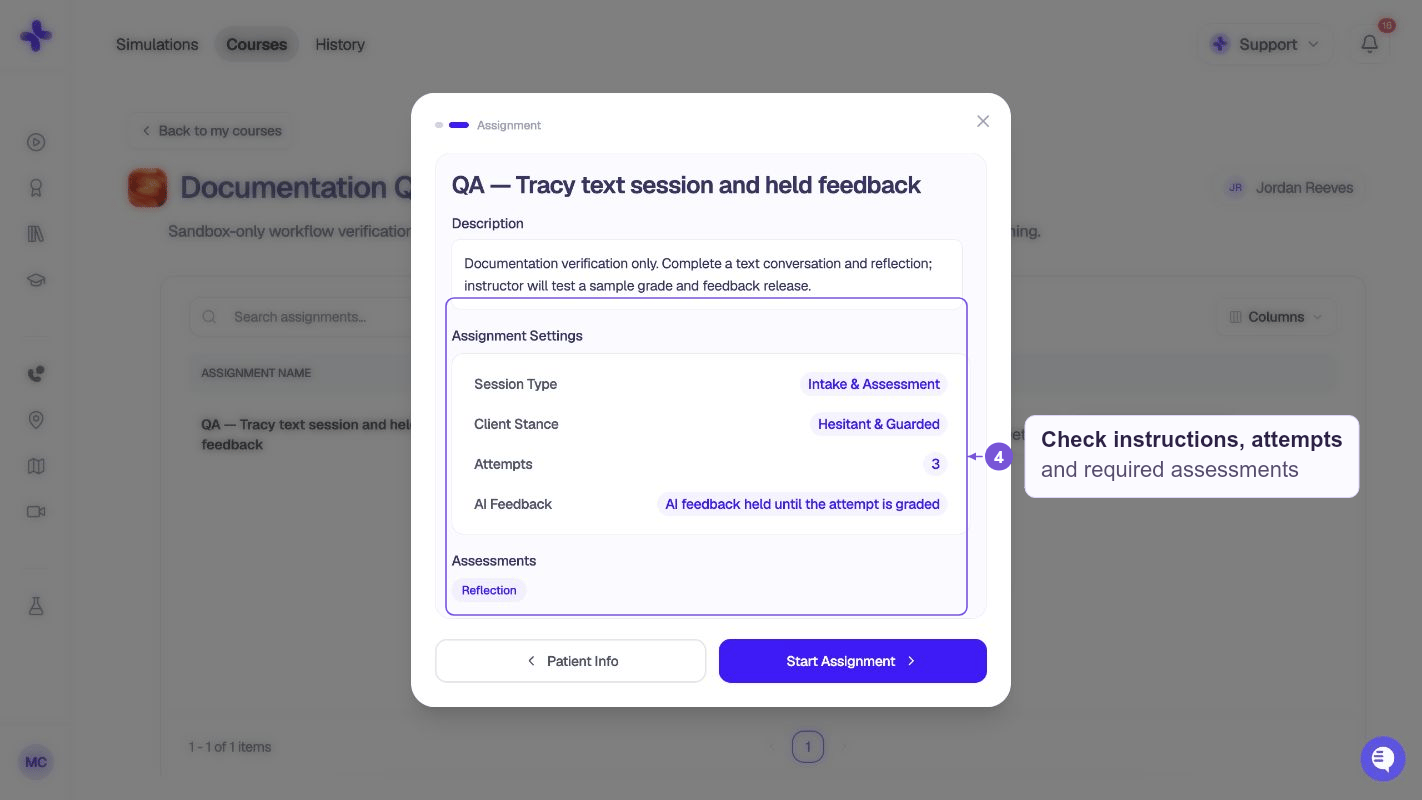
Resuming a session
If you close the browser mid-session, your progress is saved. Return to the assignment and click Continue — the session picks up where you left off.Viewing feedback
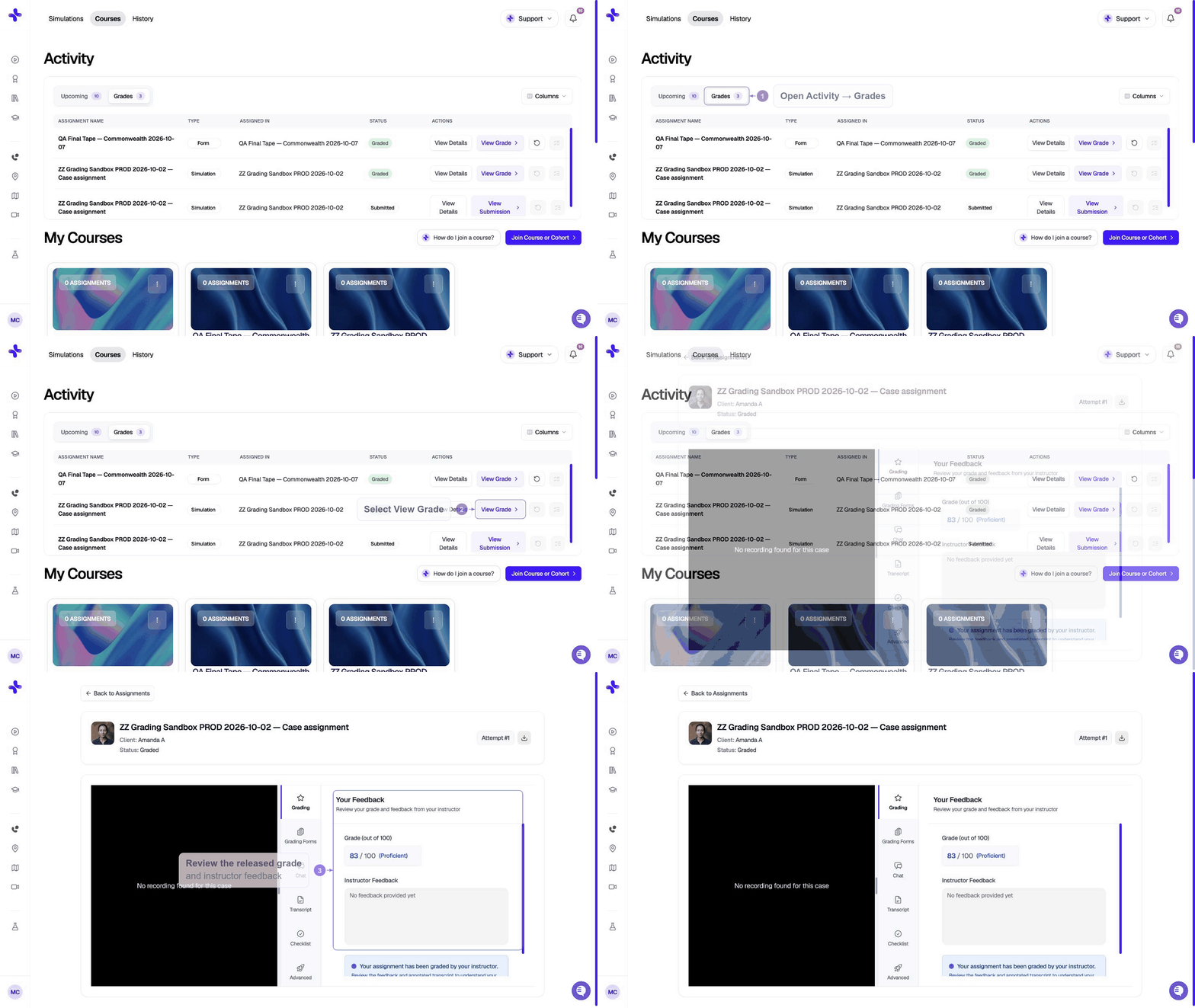
- Open the assignment in My Courses
- Click View Feedback
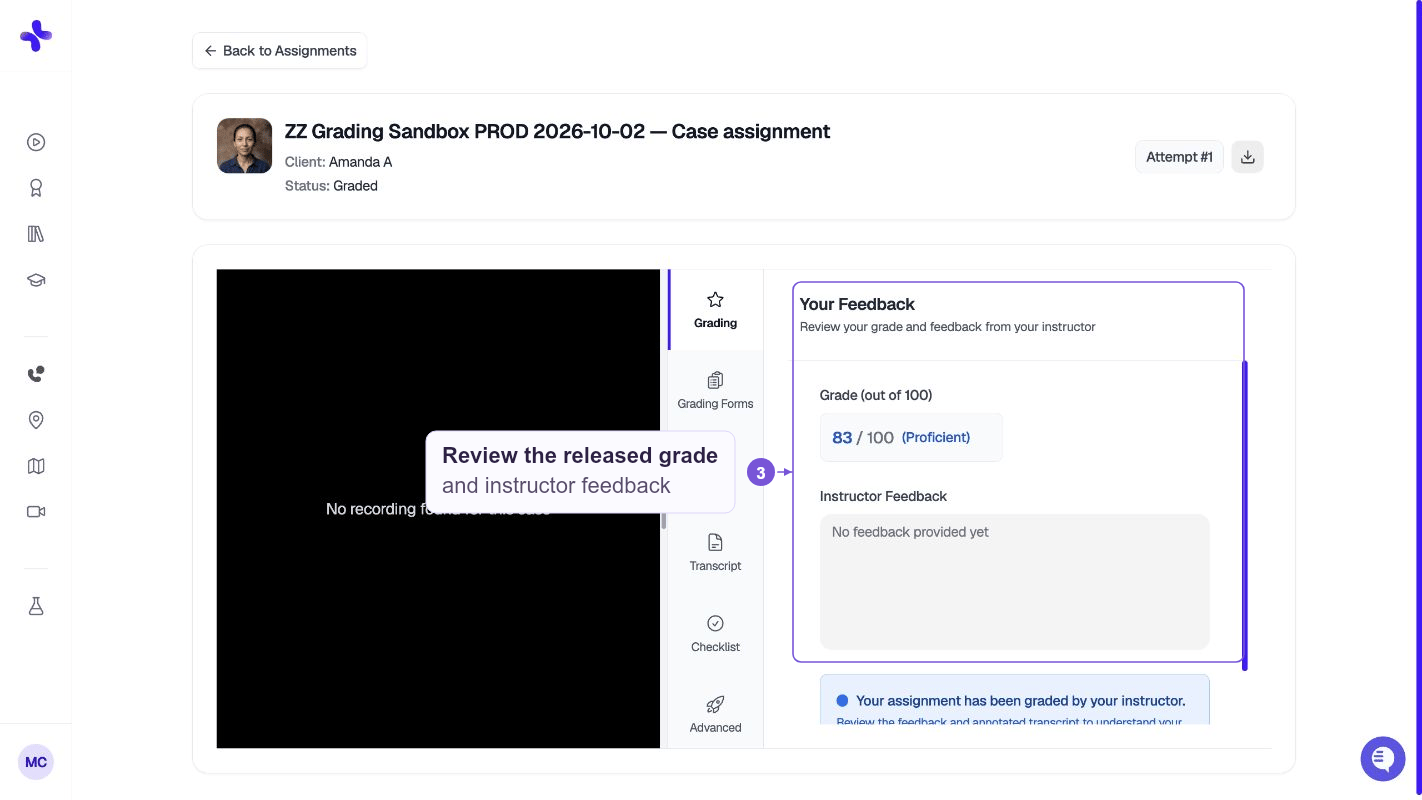
- Your feedback report opens with the sections enabled for that assignment. Labels can include Chat with Feedback, Annotated Transcript, Evaluation Checklist, and Advanced Skills; not every assignment includes every report type.
If you see “Your instructor will release feedback” instead of the feedback report, your instructor has chosen to review before releasing. You’ll get a notification when it’s available.
Assignment types
Besides simulation cases, your instructor may assign:Common issues
I can’t find an assignment my instructor mentioned.Check all three sections (Activity, My Courses, Personal Learning). If it’s a class-based assignment, click into the class card under My Courses. If you still can’t find it, ask your instructor to confirm you’re enrolled in the class. The Start button is greyed out.
If the assignment is Locked, check the row for the prerequisite assignment you must submit first. You may also have used all your allowed attempts, or the assignment’s due date has passed. Check the assignment card for details or ask your instructor. My submission shows “In Progress” but I finished the session.
The session may still be processing. Wait a few minutes and refresh the page. If it stays stuck after 10 minutes, contact hello@simcare.ai.