

Turn it on
New sessions start from the program default. Scheduling a meeting for someone else uses the host’s program default.
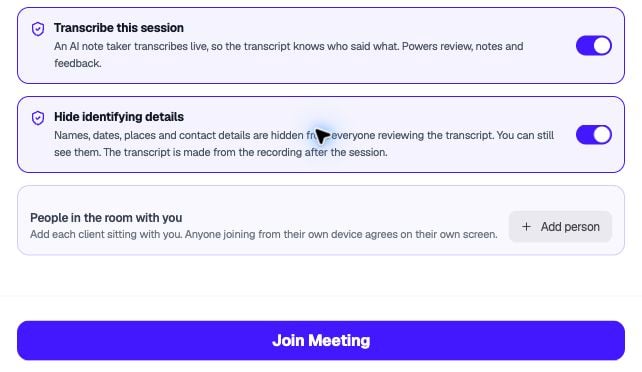
Enable Hide identifying details before joining the session.
What reviewers see
- Identifiers become consistent placeholders, such as [NAME_1]. The same name always gets the same placeholder.
- Speakers appear as Counselor or Speaker 2, not real names.
- Medical terms such as medications, doses, and conditions stay visible.
- Lines that were never scanned show [Not yet redacted] and their text stays hidden.
What the owner can do
- Turn on Show identifying details to see the original text. Each time you do, it’s recorded in the audit log.
- Hide a phrase the detector missed, everywhere it appears.
- Restore something that was hidden by mistake.
Things to know
- Only the owner can rename speakers on a redacted session.
- If you turn redaction on for a session that already has a live transcript, its lines show [Not yet redacted] until you re-transcribe from the recording.
- Redaction doesn’t cover text people type, such as comments.