

What it does
While the meeting is happening, the note taker listens in and builds a transcript of what’s said. Once the meeting ends, it generates notes for the session. The host can read them from the meeting’s Details page.It can take a few minutes for the transcript and notes to finish generating after a meeting ends. If they’re not showing up yet on the Past Sessions page, check back shortly.
Giving consent
The host can’t join with the note taker on until every person has agreed:- On the Join Meeting screen, enable Transcribe this session.
- Under People in the room with you, click Add person for each client sitting with you.
- Read the displayed consent statement to each person, enter their full name, and collect their agreement using the checkbox.
- Join Meeting stays disabled while a listed person’s name or agreement is missing. Anyone joining from another device agrees on their own screen.
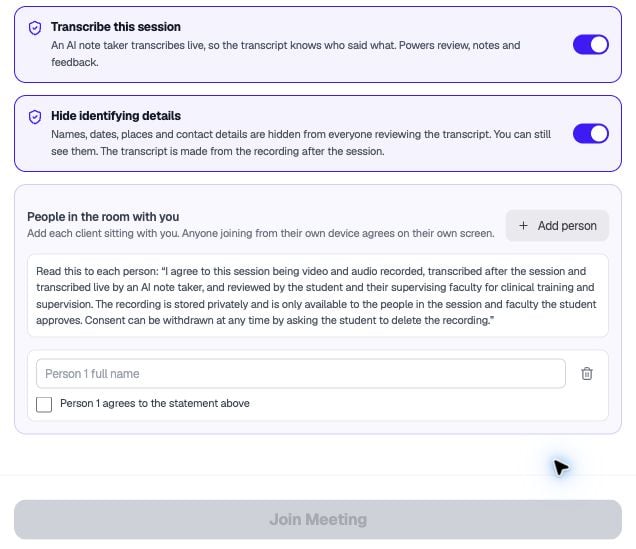
Add each client sitting with you and collect their agreement before joining.