> ## Documentation Index
> Fetch the complete documentation index at: https://app.simcare.ai/docs/llms.txt
> Use this file to discover all available pages before exploring further.
# Setting up recurring tasks
> Automate weekly hour logs and evaluation forms so you don't have to re-assign them manually each week.
You don't need to manually assign the same hour log or evaluation every week. FieldX lets you automate this using **Recurring Tasks**.
## Using the repeat toggle
When assigning any form or report, you'll see a **Repeat** toggle in the assignment settings. Turning it on lets you define a schedule.
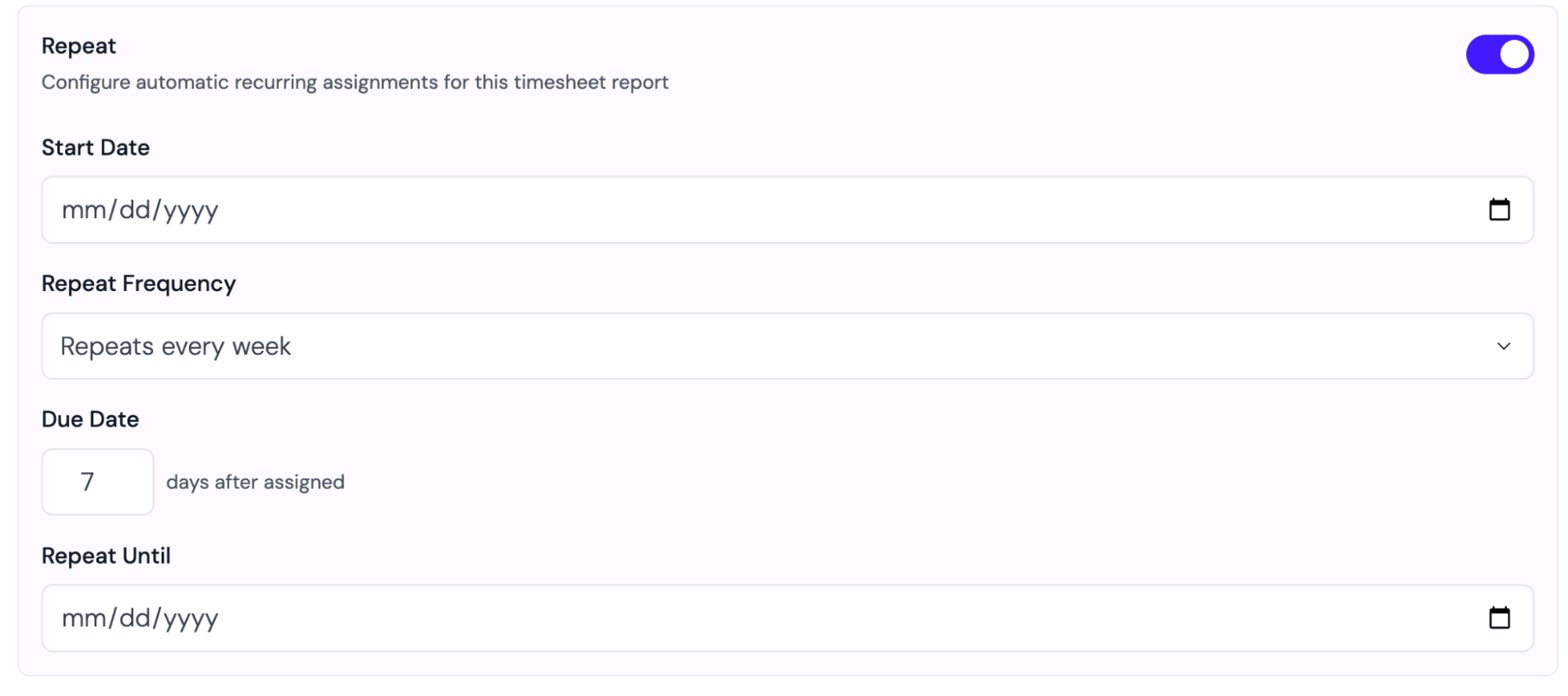 | Setting | Description |
| ---------------- | ------------------------------------------------------------- |
| **Start date** | When the first task should be assigned to the student |
| **Frequency** | How often: Weekly, Bi-Weekly, or Monthly |
| **Due date** | How many days after assignment the student has to complete it |
| **Repeat until** | When the automation stops (usually the end of the semester) |
Learn how to create the form and report templates used in recurring tasks at [Building forms](/docs/fieldx/building-forms).
| Setting | Description |
| ---------------- | ------------------------------------------------------------- |
| **Start date** | When the first task should be assigned to the student |
| **Frequency** | How often: Weekly, Bi-Weekly, or Monthly |
| **Due date** | How many days after assignment the student has to complete it |
| **Repeat until** | When the automation stops (usually the end of the semester) |
Learn how to create the form and report templates used in recurring tasks at [Building forms](/docs/fieldx/building-forms).